A cluttered, makeshift workspace can quietly drain your focus, productivity, and motivation. If you’re struggling with distractions, discomfort, or creative burnout, your environment may be the root cause. This home office setup guide is designed to help you turn chaos into clarity with a step-by-step framework grounded in proven interior design principles. Rather than simply suggesting furniture, we explain the why—how ergonomics support your health, how organization fuels mental clarity, and how personalization boosts inspiration. By the end, you’ll have a clear, actionable blueprint to transform any corner of your home into a focused, functional space for deep work and creativity.
Location and Layout: The Foundation of Your Workspace
“Don’t just measure the walls—measure the energy,” a designer once told me. When finding your zone, think beyond square footage. Consider foot traffic, noise levels, and whether the space creates psychological distance from “home life.” A corner of the living room might fit a desk, but if the TV hums behind you, focus will evaporate (yes, even if you swear you can multitask).
The Power of Natural Light
“Light changes everything,” says environmental psychologist Sally Augustin, noting that daylight improves mood and productivity (American Psychological Association). Follow the side-lit rule: position your desk perpendicular to windows to reduce screen glare while maximizing brightness. Pro tip: sheer curtains soften harsh afternoon rays without sacrificing glow.
Mapping the Flow
Before buying furniture:
- Measure wall width and ceiling height
- Map walking paths
- Account for chair clearance
A thoughtful layout—like any good home office setup guide—ensures essentials fit without feeling cramped.
The Ergonomic Trinity: Your Desk, Chair, and Lighting
A productive workspace starts with three elements working together—not fighting each other (like a band where the drummer ignores the tempo). Let’s break down the evidence behind each.
Choosing Your Desk
Your desk is more than a surface; it dictates posture and movement. Research published in the Journal of Occupational and Environmental Medicine found that sit-stand desks can reduce upper back and neck discomfort by up to 54% when used consistently. That said, critics argue standing desks are overhyped—and they’re partly right. Standing all day can strain joints. The key is alternation.
Depth matters, too. Experts recommend at least 24 inches to maintain the ideal 20–30 inch monitor viewing distance, reducing eye strain (American Optometric Association). Material influences mood: natural wood tones are linked to lower stress levels in interior psychology studies.
Pro tip: If your monitor feels “in your face,” your desk is probably too shallow.
Investing in Your Chair
This is non-negotiable. The CDC reports that 1 in 4 adults experiences back pain annually. A quality chair should include:
- Adjustable lumbar support
- Seat depth control
- Armrest height adjustment
- Tilt tension customization
Skeptics say any chair works if you “sit properly.” But without adjustability, proper posture becomes guesswork.
Layering Your Light
Poor lighting contributes to digital eye strain, affecting over 50% of computer users (Vision Council). A three-point strategy—ambient, task, and accent—reduces harsh shadows and glare. Think of it as cinematography for your workflow.
For a complete home office setup guide, remember: balance beats extremes every time.
Taming Tech and Conquering Cable Clutter
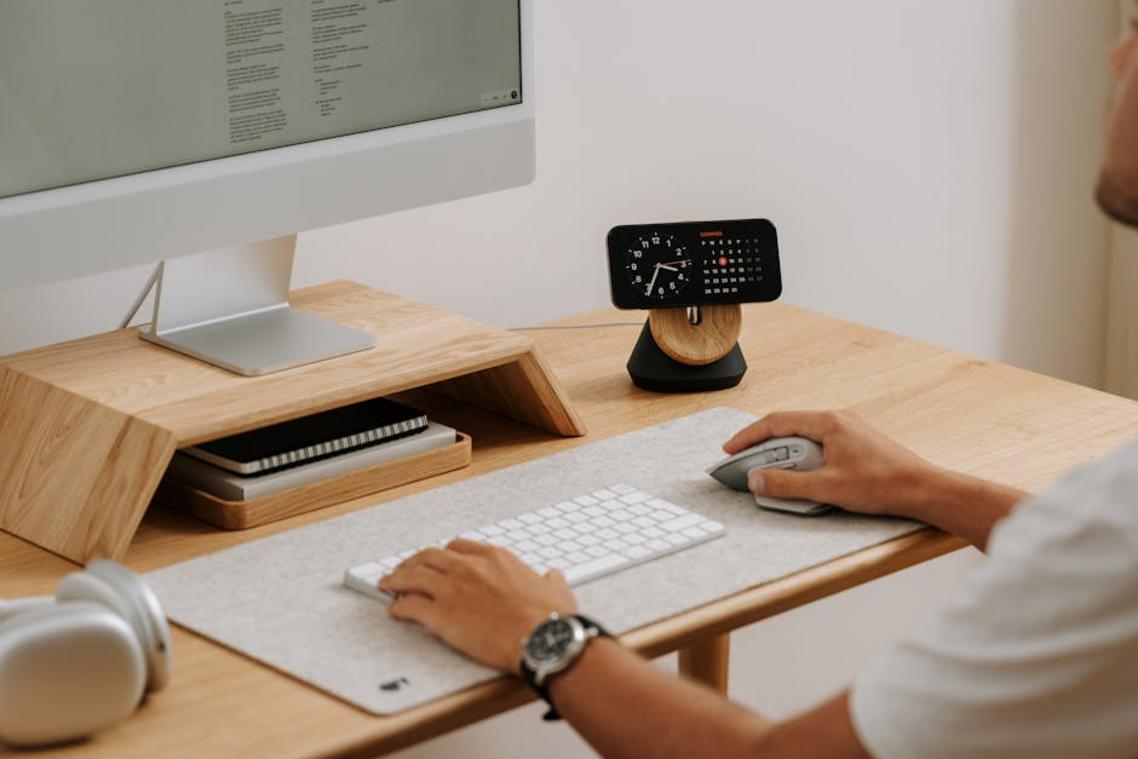
A chaotic desk hums with visual noise—loops of black cords, dangling adapters, dust catching in wire tangles. The right cable management toolkit turns that mess into calm. Slide cords into soft neoprene sleeves, snap them into adhesive clips that click satisfyingly against the desk edge, or mount an under-desk tray to cradle power strips out of sight.
- Cable sleeves for bundling
- Under-desk trays for power strips
- Adhesive clips for guiding loose wires
Optimizing Your View
Your monitor should meet your eyes, not force your chin down. Ergonomists note the top of the screen should sit at or slightly below eye level to prevent neck strain (OSHA). Ultra-wide monitors create a seamless visual sweep, while dual screens offer flexible multitasking—like flipping between tabs without the digital shuffle.
Streamline further with a USB-C hub. One smooth click, one cable, instant calm—just like smart kitchen organization hacks that save time and space. In any home office setup guide, simplicity always feels better.
Smart Storage for a Streamlined Workflow
A cluttered desk doesn’t just look chaotic—it measurably reduces focus. According to a Princeton University Neuroscience Institute study, physical clutter competes for your attention, lowering productivity. That’s why thinking vertically is more than a design trend. Floating shelves and pegboards free up surface space while keeping tools within arm’s reach (no more drawer digging mid-task). In small offices, vertical storage can increase usable workspace by up to 30%.
Next, apply the “Zone” Method:
- A printing zone for devices and paper
- A supply zone for tools and stationery
- A reference zone for books and files
Professional organizers report that zoning cuts search time nearly in half.
Finally, implement an “in-tray, to-file, to-shred” paper system. Paper clutter is cited by 56% of remote workers as a top distraction (Brother International survey). This simple flow prevents pileups before they start.
For a complete home office setup guide, combine these systems for lasting efficiency.
Personalizing Your Space for Focus and Inspiration
Decor with a Purpose
Plants can filter pollutants according to NASA Clean Air Study (1989), while art nudges divergent thinking. Display personal objects that signal goals—marathon medals, travel photos—without clutter. LESS is more.
- Add one statement piece per wall.
The Psychology of Color
Blues and greens support focus; yellows spark creative energy. Some argue color effects are overstated, yet psychology links hue to mood shifts.
Sensory Inputs
Peppermint or rosemary may boost alertness, though evidence is mixed. I predict home office setup guide trends will favor lighting and soundscapes.
Your Blueprint for a Productive Sanctuary
You came here for a clear, actionable home office setup guide, and now you have a complete strategy—from choosing the right corner to placing the final piece of decor. No more battling distractions, back pain, or clutter stealing your focus. By blending ergonomic principles with smart organization and personal style, your workspace becomes a tool that supports your productivity instead of sabotaging it.
Don’t let another workday slip by in a space that drains you. Start with lighting or cable management today and take control. Transform your workspace now and experience the focus, comfort, and efficiency you deserve.
 Helen Rogersofers is a leading expert in functional home optimization and contemporary decor themes. She specializes in translating high-level design theory into practical, accessible setup strategies that maximize the potential of any floor plan. Through her insightful breakdowns and focus on material textures, Helen empowers individuals to refine their surroundings with confidence, making sophisticated design achievable for the everyday enthusiast.