
Creating a productive home sanctuary requires more than placing a desk against a wall. A cluttered, uncomfortable workspace can quietly drain your focus, creativity, and overall well-being. This guide offers a strategic blueprint for building a functional home office setup that supports both comfort and efficiency. You’ll discover how thoughtful organization, smart layout decisions, and ergonomic upgrades can directly improve your daily output. By the end, you’ll have a clear, step-by-step plan to transform any corner of your home into a streamlined, inspiring workspace designed to help you work better—and feel better—every single day.
The First Decision: Location and Environment
Beyond the Spare Room
First things first: the “obvious” office spot isn’t always the best. Sure, the spare room sounds ideal—until you realize it doubles as storage for holiday decorations and unresolved DIY projects. Instead, evaluate foot traffic (are people constantly walking by?), noise levels (is your neighbor practicing drums?), and mental separation. In other words, can your brain tell the difference between “Netflix zone” and “get-it-done zone”? A functional home office setup starts with that clarity.
Harnessing Natural Light
Next, let’s talk sunlight. Studies show natural light boosts mood and productivity (Harvard Business Review). Position your desk near a window—but slightly angled to avoid screen glare (unless you enjoy squinting like a detective in a crime drama).
Creating Boundaries
Finally, create visual boundaries. Use a rug, bookshelf, or even a bold paint color to psychologically rope off your workspace. Even in a studio apartment, small cues tell your brain, “This means business.”
Designing a workspace isn’t just about aesthetics; it’s about how your body interacts with three key elements: chair, desk, and screen. This relationship is often called the ergonomic triangle—a simple way to describe how these pieces work together to reduce strain.
-
Your Chair Is Non-Negotiable. An ergonomic chair means one designed to support natural spinal curves. That includes lumbar support (the lower-back cushion), height adjustability, and armrests that let shoulders relax. Some argue any chair works if you sit up straight. In reality, static posture causes fatigue; adjustability prevents it.
-
The 90-Degree Rule Simplified. Adjust your seat so feet rest flat and knees form a right angle. Raise or lower the desk until elbows also sit near 90 degrees, wrists straight. This alignment distributes weight evenly (your back will thank you).
-
Preventing Tech Neck. Tech neck describes forward-head posture from looking down at screens. Place your monitor an arm’s length away, with the top at or slightly below eye level. Critics say laptops alone are fine; however, without elevation, neck strain increases, as occupational health studies consistently show.
When combined, these steps create a functional home office setup that prioritizes comfort and focus. Small adjustments, big difference.
Strategic Organization for a Clutter-Free Workflow
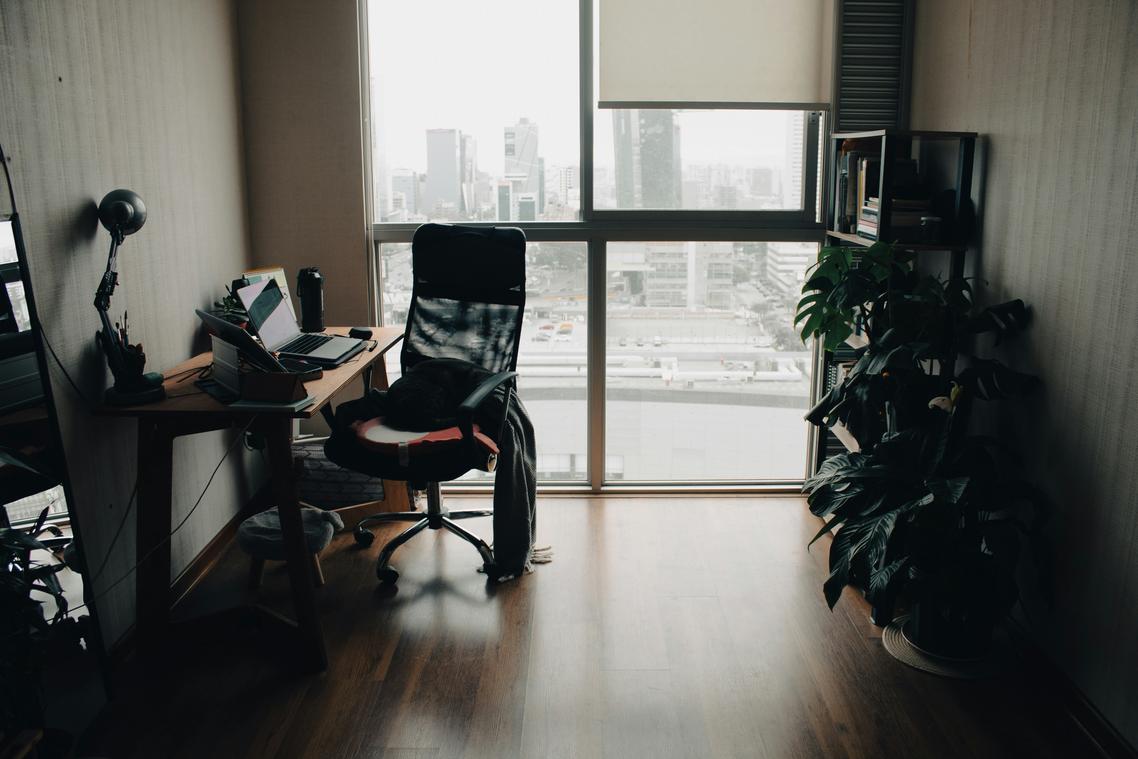
A cluttered desk doesn’t just look chaotic—it quietly taxes your focus. Researchers at Princeton University found that physical clutter competes for your attention, reducing performance and increasing stress (Princeton Neuroscience Institute, 2011). The fix isn’t perfection. It’s strategy.
The “Zone of Reach” Principle
Think of your desk in layers. Your primary zone (within arm’s reach) should hold only daily essentials: pen, notebook, keyboard, water. Your secondary zone can store items you use occasionally, like planners or reference materials. Anything beyond that? It belongs elsewhere. This layout reduces micro-distractions (yes, even that random paperclip you keep fidgeting with).
Go Vertical
When desk space runs out, look up. Floating shelves, pegboards, and wall-mounted file holders lift clutter off your workspace while keeping it accessible. Vertical storage increases usable surface area without expanding your footprint—especially useful in small rooms. For deeper organization strategies, explore smart storage solutions for clutter free living.
Mastering Cable Management
Wire spaghetti is more than an eyesore. Use cable sleeves to bundle cords, adhesive clips to guide them along desk edges, and under-desk trays to hide power strips. Label cables before securing them (pro tip: masking tape works wonders).
The 5-Minute End-of-Day Reset
Before logging off, clear your desk completely. File papers, return tools, wipe the surface. This simple ritual creates a psychological “reset,” making tomorrow’s start smoother and sharper.
Small shifts like these turn any workspace into a functional home office setup that supports focus instead of fighting it.
Styling for Focus: The Psychology of Your Workspace
Intentional Decor, Not Distraction
We’ve all been there: you sit down to work, and somehow your eyes keep drifting to that cluttered shelf or random stack of mail. Visual noise is real. It’s the unnecessary stimuli competing for your attention (and usually winning). Choosing a few meaningful items—a thriving plant, one framed print you actually love, a quality lamp—creates inspiration without chaos. Less really is more when your brain is trying to concentrate.
A neutral palette—soft grays, warm whites, muted earth tones—acts as a visual exhale. Research in environmental psychology suggests calm colors can reduce cognitive fatigue and stress levels (Küller et al., 2009). Some argue bold colors spark creativity. Fair point. But if your goal is sustained focus, high-saturation walls can feel like working inside a highlighter.
Lighting is another common frustration. One harsh overhead bulb? Instant headache. Layer ambient (general room light), task (a focused desk lamp), and accent lighting to adapt throughout the day. (Your 9 p.m. eyes will thank you.)
Finally, natural textures—wood grain desks, linen curtains, stone accessories—soften the space. They add tactile warmth, making a functional home office setup feel human instead of sterile. Pro tip: start with one material and build gradually to avoid visual overload.
By incorporating elements of warm minimalism—like soft textures and neutral tones—you can create a calming atmosphere in your home office that not only boosts productivity but also enhances the overall aesthetic of your space – for more details, check out our Warm Minimalism: Softening Clean Lines with Texture.
Designing the Workday You Deserve
You set out to create a workspace that supports your focus, energy, and long-term productivity—and now you have the blueprint to do exactly that. A thoughtfully designed functional home office setup isn’t just about aesthetics; it’s the physical foundation for clearer thinking, better posture, and more meaningful output each day.
Disorganization, discomfort, and daily distractions drain your momentum. The good news? Small, intentional upgrades can immediately shift how you feel and perform.
Start today. Adjust your monitor height. Clear your desk. Improve your lighting. One change creates momentum.
If you’re ready to eliminate frustration and build a workspace that truly works for you, explore more expert-backed home office strategies now and take control of your workday.
 Helen Rogersofers is a leading expert in functional home optimization and contemporary decor themes. She specializes in translating high-level design theory into practical, accessible setup strategies that maximize the potential of any floor plan. Through her insightful breakdowns and focus on material textures, Helen empowers individuals to refine their surroundings with confidence, making sophisticated design achievable for the everyday enthusiast.